The best cloud storage plans have different features. When you have lot of photos, videos, images, data files and documents on your computer, storage becomes a problem.
Though you can save them on the hard-drive and external storage, you need to access them on-the-go.
When you are at home it is easy to open them.
But when you are in a different country or office, you cannot carry the hard-drives.
For such purpose, cloud storage services offer premium services to access your files and folders anywhere.
Though there are many cloud storage services, only few stand in the list. In this post we are going to compare the features of OneDrive vs Google Drive vs IDrive.
Onedrive vs Google Drive
Both have desktop and mobile app.
You can use for personal computers (PCs), Macs, mobiles and tablets.
For basic usage you get free storage of 5GB. It is useful if you want to just store important documents.
OneDrive is Microsoft product. So it comes pre-installed with Windows 10 and 8.1.

In the File Explorer, you can see a OneDrive item on the left hand side.
It is linked to a particular folder location on your computer.
Once you drop your files and folders, they are synced to your cloud.
Based upon Windows 7 or 8.1 or 10, the display of sync features are different.
You generally see “green” tick marks to indicate that the files are in sync.
Google Drive vs OneDrive
It is the most convenient cloud storage service for personal users, who store a few photos, videos and audio files.
It costs only $1.99/month for 100GB of storage.
Recently from Sep 2018 onwards, this service has been clubbed with Google One.
You get expert chat and call service for any of your queries.
If you buy Google Drive storage recently, you are automatically upgraded to Google One account.
You get different discounts on hotels and promo codes to apply for Google Play store.

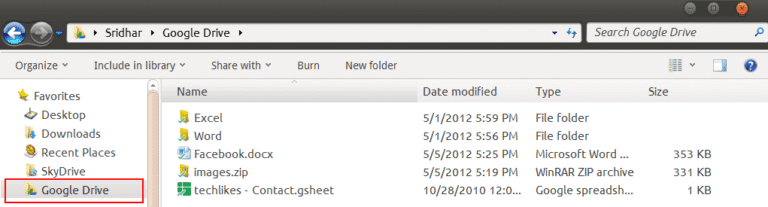
This is list any other cloud storage which has facility for both desktop, mobile and tablets.
Install the appropriate version and you can sync the files to the cloud.
iDrive vs OneDrive
This is a new cloud app in the market in 2019.
Though many of us don’t know about this product, it has been in the backup storage solutions from 1995.
If you are using it for the first time in 2019, you can get 5TB of storage for $6.95/year for the first year.
Then when you renew, the price is $52.12/year.

Though it lacks certain features of OneDrive and Google Drive it is a good option for a backup plan.
One difficulty I faced with this cloud service is when you have to change to OneDrive or Google Drive.
You have to download all your folders and files again and upload them.
MultCloud is a multiple cloud storage service which provides support for inter-transfer of files between OneDrive and Google Drive.
But IDrive is not supported.